


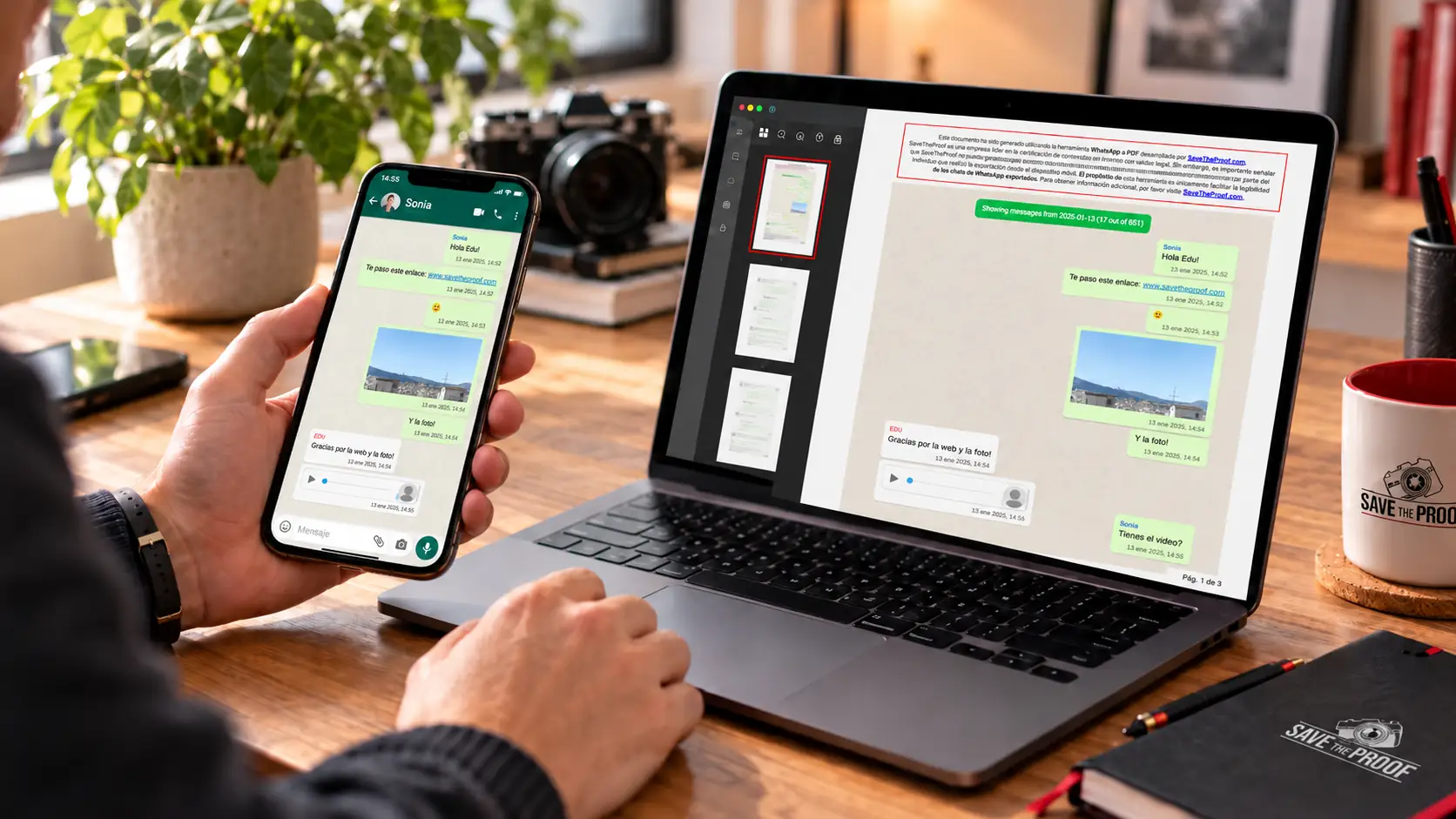
Exporting WhatsApp chats to PDF online for printing involves saving a conversation from WhatsApp and converting the chat history into a readable PDF document that you can download, review and print.
At SaveTheProof, we offer a tool for converting WhatsApp chats to PDF with a layout similar to the one displayed on your mobile phone. The process involves importing the conversation, selecting messages and exporting the document.
The PDF does not certify the authenticity of the conversation or guarantee its validity as evidence. We explain how to generate it, what information may be missing and how to review the result before sharing it.
How to Export a WhatsApp Chat from Android or iPhone
Exporting a WhatsApp chat means obtaining a copy of the available messages outside the application. The export feature generates a text file and, if you choose to include them, certain multimedia attachments.
WhatsApp does not convert this chat history directly into PDF format. To use SaveTheProof, first save our contact details and validate the export code. You can then send the chat from your mobile phone.
- Android, step 1: open the individual or group conversation and tap the three dots in the top menu.
- Android, step 2: select “More” and then “Export chat”. Choose whether you want to include multimedia files.
- Android, step 3: from the sharing menu, select WhatsApp and our contact after validating the code.
- iPhone, step 1: open the individual or group conversation and tap the contact or group name.
- iPhone, step 2: select “Export Chat” and decide whether to include multimedia files.
- iPhone, step 3: share the exported conversation via WhatsApp with the SaveTheProof contact after validating the code.
Depending on your device and the options selected, the export may contain a TXT file and attachments bundled into a ZIP file. Check that it includes the messages and dates you need.
Menu options may vary depending on the version of WhatsApp. Consult the official WhatsApp instructions for exporting chats. Exporting a conversation is not the same as creating a backup.
How to Convert a WhatsApp Conversation to PDF Online with SaveTheProof
To convert a WhatsApp chat to PDF using our tool, you need to identify your export with a code and send us the ZIP file via WhatsApp. You can then select and preview the content.
Consult the SaveTheProof WhatsApp to PDF user manual, which includes screenshots illustrating each stage of the process.
- 1. Access your account: visit SaveTheProof WhatsApp to PDF, sign in and select the tool from the side menu.
- 2. Save our contact: add the SaveTheProof telephone number, +34 613 44 66 29, to the contacts on the mobile phone you will use to export the conversation.
- 3. Send the code: click “Generar código para iniciar exportación” (Generate code to start export) and send the displayed code to our WhatsApp contact, including the hyphen.
- 4. Send the ZIP file: once the code has been validated, export the chat from WhatsApp, choose to share it via WhatsApp and send the ZIP file to the SaveTheProof contact.
- 5. Select the content: allow us to process the chat, choose the start and end dates, and identify yourself using the “¿Quién eres?” (Who are you?) drop-down menu.
- 6. Generate the preview: click “Generar PDF y previsualizar” (Generate PDF and preview) to prepare the document containing your selected messages.
- 7. Review before paying: select “Previsualizar y pagar” (Preview and pay) and check the content in the watermarked preview.
- 8. Unlock the PDF: if the result is correct, complete the payment using “Desbloquear y descargar PDF” (Unlock and download PDF).
- 9. Download the file: click “Descargar” (Download) and save the final PDF to your computer.
Each PDF supports up to 1,000 messages. If you need to print a longer conversation, select shorter date ranges and generate several consecutive documents.
For a limited time, you can unlock and download each PDF for €0.95, including taxes. Before paying, you can preview the document and review the messages.
For example, if you need to archive a work conversation spanning several months, you can create a PDF for each period and save the documents using filenames that indicate their dates.
What Does a WhatsApp Chat PDF Include and What Information Might Be Missing?
A WhatsApp chat PDF is a readable representation of the imported content, with a layout similar to the conversation displayed on your mobile phone. It is not a complete replica of the application.
- Text messages: messages are displayed in sequence to make the conversation easy to read.
- Participants: the names displayed depend on the identification details included in the export.
- Dates and times: these are shown when they are available in the imported data.
- Message emojis: emojis may appear within the message text, but they should not be confused with message reactions.
- Photographs and other files: their inclusion and appearance depend on whether they were available and included in the export.
- Links: shared URLs may be retained without their visual previews.
At SaveTheProof, we document several WhatsApp to PDF limitations that you should understand before printing a conversation:
- Image captions: captions or comments may be missing even when the attached image is displayed.
- Message reactions: reaction emojis are not reproduced as they appear in WhatsApp.
- Thumbnails: link previews are not displayed, and video message thumbnails may also be omitted.
- Calls: certain entries appear as “null”, while missed calls may not appear at all.
- Omitted multimedia: this may indicate that the attachment was not downloaded or included in the export.
- Other elements: additional differences may depend on the WhatsApp version and the content of the conversation.
Before paying, review the beginning and end of the chat in the preview. If an important image is missing, check whether it is available in WhatsApp before repeating the export.
It is also worth distinguishing between formats: TXT files provide access to the text, screenshots show selected excerpts, PDFs organise the conversation for reading, and backups are intended for restoring WhatsApp.
Consult our WhatsApp to PDF frequently asked questions to learn which elements the tool may omit.
Why Print a WhatsApp Chat and Is the PDF Legally Valid?
The WhatsApp PDF generated by SaveTheProof is not a digital evidence certificate. Its purpose is to improve readability, not to verify the origin, prior integrity or authorship of the messages.
The person exporting the chat may have modified its content before uploading it. For this reason, our tool cannot guarantee that the PDF reproduces an authentic and complete conversation.
- Personal archives: organise messages from family members or friends to read them and preserve memories.
- Work and business: make it easier to review agreements, instructions or communications while respecting confidentiality requirements.
- Consulting a solicitor: help identify relevant messages without replacing the technical examination of the original data.
- Legal evidence: the document may be submitted in legal proceedings where permitted, but its admissibility and evidential weight are not guaranteed.
Authenticity means that the messages genuinely originate from the individuals identified as their senders. Integrity means that the data has not been altered compared with the original examined.
If you need to establish these characteristics, preserve the original export and consult a digital forensics expert. You can find specialists in our Professional Directory of WhatsApp forensic specialists.
We explain the limitations of this service in our article about WhatsApp chat certification.
Before sending or sharing a conversation, check that you are entitled to process the messages and restrict access to appropriate recipients. Chats may contain personal data belonging to third parties.
Frequently Asked Questions About Exporting WhatsApp Chats to PDF
Can I Export a WhatsApp Group Chat to PDF?
Yes. Open the group, use the “Export chat” option and send the file to our contact after validating the code. Review the participants and messages before paying for and downloading the PDF.
Can I Recover Deleted Messages by Converting WhatsApp to PDF?
No. Converting a chat to PDF does not recover deleted messages or reconstruct missing files. The tool can only process the information it receives.
Can I Restore WhatsApp from a PDF Conversation?
No. The PDF is a document intended for reading and printing. To recover conversations in WhatsApp, you must use the application’s supported backup and restoration features.
Convert and Download Your WhatsApp Chat as a PDF with SaveTheProof
To print a WhatsApp conversation, first generate your SaveTheProof code, send the ZIP file from your mobile phone, select the messages and review the preview before paying.
At SaveTheProof, we help you create a readable document for reference or printing. Remember that converting a conversation to PDF does not certify its authenticity.
Access SaveTheProof WhatsApp to PDF and follow our user manual to convert and download the conversation you want to preserve.