


An online offer, advertisement or published post can change without warning. If you need to preserve information displayed on a website, it is essential to act while the content is still available.
With SaveTheProof, you can purchase a legally valid website certificate entirely online. The service records the accessible web page and generates technical documentation to help verify the capture.
This guide explains when to use website certification, how to request a certificate, what you will receive and how to preserve your evidence. You do not need any digital forensics expertise to complete the process.
What Is a Legally Valid Website Certificate and When Should You Use One?
A website certificate documents the content that a certification platform can access at a public URL, at a specific point in time and under defined technical conditions.
Unlike a standard screenshot, it includes information about the capture process, along with electronic signature and timestamping mechanisms. These features make it easier to examine the origin and integrity of the generated documentation.
Website certification can be useful when you need to preserve online information for a legal claim, an investigation or monitoring changes to a website.
- E-commerce: preserve an advertised price, promotional offer or terms of sale before an online retailer changes them.
- Intellectual property: document the publication of written content, designs or photographs that may be used without permission.
- Online fraud: record a suspicious website, its commercial offers or the information presented to visitors.
- Online reputation: preserve publicly available content that could affect a business or professional’s reputation.
- Contractual relationships: document the terms and conditions displayed on a website at a specific date and time.
The need to preserve online content is real. A 2024 study by Pew Research Center found that 25% of the web pages in its sample from 2013 to 2023 were no longer accessible as of October 2023.
How to Purchase a Website Certificate with SaveTheProof: Step-by-Step Guide
To certify a web page, you need a SaveTheProof account and the exact URL of the content you want to preserve. You can preview the capture before requesting a paid certificate.
Before You Start: Check the URL and Set Up Your Account
- Public access: make sure the page opens without requiring a username or password. Otherwise, consider recording a web browsing session.
- Correct URL: copy the exact address of the page you want to preserve, rather than just the website’s homepage.
- Visible content: check that the relevant information is displayed and not hidden behind menus or interactive elements.
- Personal account: create your free SaveTheProof account using a valid email address and sign in to the platform.
Preview, Pay and Download: The Certification Process
- 1. Select the service. Sign in to your account and choose the Web Page Certificate option.
- 2. Enter the web address. Paste the public URL of the content you want to preserve.
- 3. Review the preview. Check the captured area and dismiss cookie notices or subscription pop-ups if the tool allows it.
- 4. Choose your payment method. You can add funds through the “Balance” and “Recargar mi cuenta” (Top Up My Account) options or choose a flat-rate subscription plan.
- 5. Confirm certificate issuance. Review the displayed amount before confirming the charge and requesting the certificate.
- 6. Access your certificate. Find the issued certificate in your private account area.
- 7. Preserve your evidence. Download the PDF certificate and associated technical files without modifying the originals.
The published price for a Web Page Certificate is €4.95, including applicable taxes. If you need to certify digital content regularly, SaveTheProof also offers several flat-rate subscription plans.
These are the main subscription options:
- Mini Plan (€24.95/month): includes unlimited web page and file certificates, five web browsing session certificates per month and 5 GB of storage.
- Unlimited Plan (€99.95/month): includes unlimited web page, file and web browsing session certificates, along with 5 GB of storage. It also provides access to WebTrack and bulk certification features.
- Unlimited+API Plan (from €249/month): includes unlimited certifications, 10 GB of storage and automation features such as WebTrack, bulk certification and REST API integration.
WebTrack, bulk certification and API features are included in the relevant subscription plans and cannot be purchased as standalone services.
The certificate is generated within minutes and can be downloaded from your private account area together with the associated technical documentation.
If you are new to the platform, you can try it for free before purchasing a certificate. SaveTheProof offers a seven-day educational trial to help you become familiar with the certification process.
During this period, free certificates include a watermark and have no evidential value. To obtain digital evidence with legal validity, you must purchase a paid certification.
What Does a Website Certificate Include? Screenshots, Metadata and Timestamps
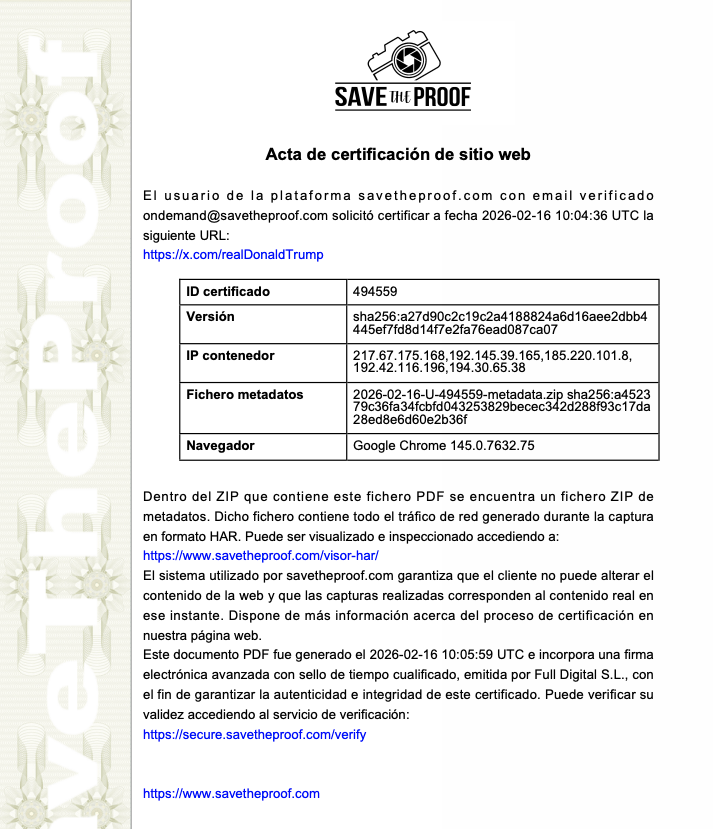
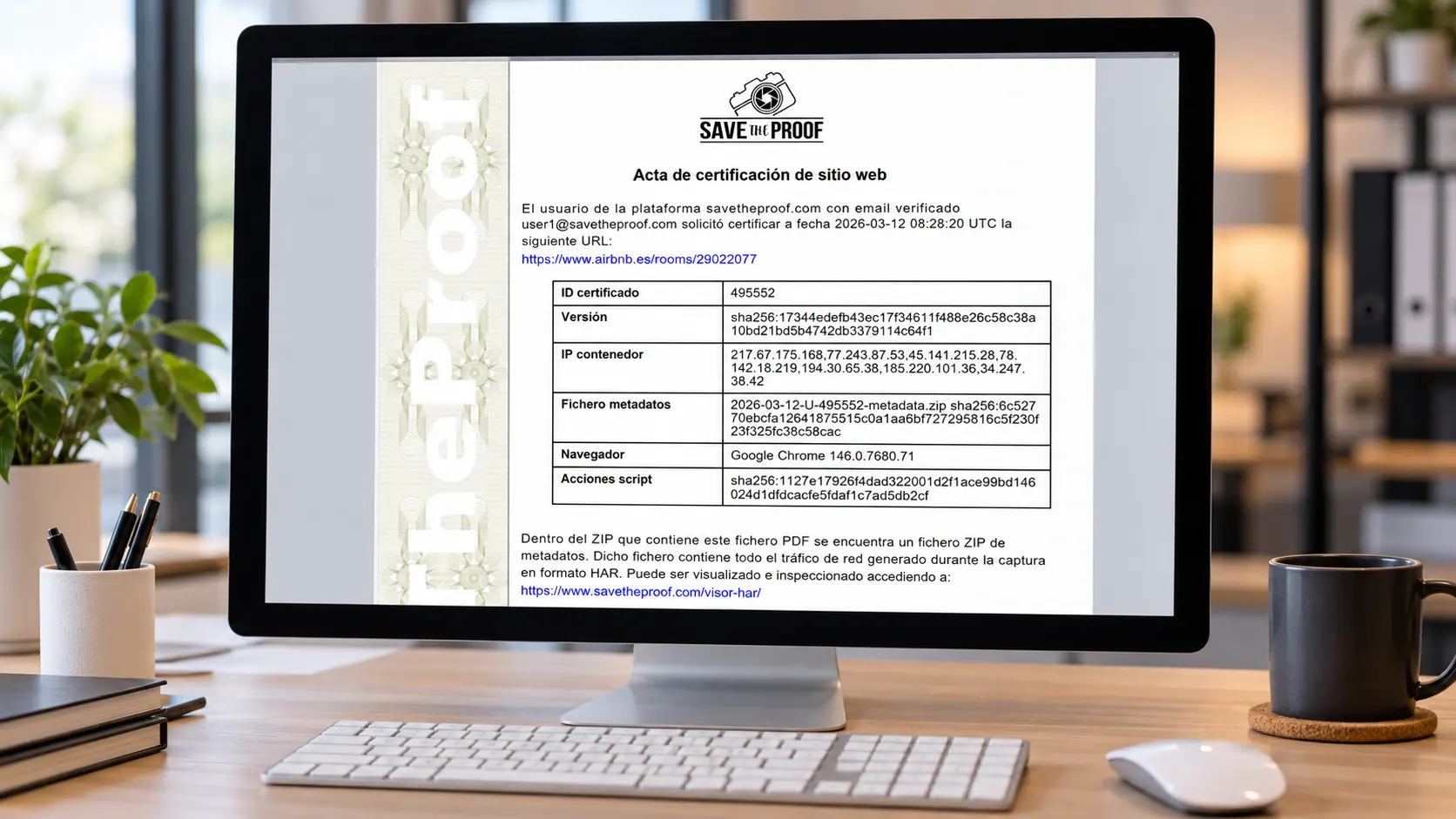
The certification results are provided through an electronically signed PDF and associated metadata files. SaveTheProof allows you to download this documentation as a ZIP package.
- Visual capture: displays the version of the web page recorded during the certification process.
- URL, date and certificate ID: identify the web address accessed, when the certification took place and how to locate the certificate.
- Technical environment data: includes information such as the capture server’s IP address and the browser version used.
- SHA-256 hashes: allow files to be compared and help detect changes to the data protected by each cryptographic hash.
- HAR file: records network requests and responses associated with loading the web page.
- Advanced electronic signature: links the signed document to its signatory and enables verification of whether the document has been modified.
- Qualified electronic timestamp: links the certified data to a specific date and time through a regulated trust service.
The ZIP package also contains additional technical information, including browser version details, the HAR recording and files associated with the electronic timestamping process.
The capture process uses automatic scrolling, but this does not mean that every element of a website can be preserved without limitations. It is advisable to review the preview before making a payment.
Is a Certified Web Page Legally Valid and What Are Its Limitations?
A website certificate may be submitted as digital evidence in a legal claim or proceeding. Its evidential value depends on the captured content, the technical mechanisms used and the laws and rules of evidence applicable to each case.
Article 41 of the EU eIDAS Regulation grants qualified electronic timestamps a legal presumption of accuracy regarding the indicated date and time, as well as the integrity of the associated data. These provisions form part of the EU legal framework, and their application should not be assumed to be identical in UK proceedings.
You can learn more about the technical and legal safeguards used in our certificates on the SaveTheProof legal validity page.
- What it documents: that the system accessed and recorded a version of the web page at a specific point in time.
- What it helps verify: the timestamp, the certificate’s electronic signature and the integrity of the associated files.
- What it does not prove on its own: that every statement published on the page is accurate or that the apparent author is the actual author.
- What it does not guarantee: that the certificate will be admitted as evidence or given favourable weight by a court.
The same website may display different versions depending on language, geographical location, cookies or personalisation settings. The certificate reflects the content accessible through SaveTheProof’s infrastructure during the capture process.
Web Page Certificate, Browsing Session or File Certificate: Which Service Should You Choose?
Choosing the right certification service helps you avoid wasting time or paying for a method that does not document the information you need. Here are the practical differences between the three main options.
- Web Page Certificate: designed to preserve directly accessible public URLs, such as online offers, advertisements or commercial terms and conditions.
- Web Browsing Session Certificate: designed to certify purchasing processes, social media posts, conversations or content that requires users to sign in, among other scenarios.
- File Certificate: designed to document a digital file you already have, such as a document, photograph, audio recording or other electronic file.
For example, if an online retailer publishes a promotional offer at a public URL, a Web Page Certificate may be sufficient. However, if you need to demonstrate several steps leading to the final purchase price, recording a web browsing session will generally be more useful.
Frequently Asked Questions About Website Certification (FAQs)
Can I certify a web page that has already been deleted?
You cannot directly capture the original URL if its content is no longer available. If an archived copy exists, you will need to consider a different method of documenting that version.
Do I need to install software to certify a website?
No. SaveTheProof operates entirely online. You can create an account and request website certification directly from your web browser without installing additional software.
Can I certify a password-protected web page?
The Web Page Certificate service is designed for publicly accessible URLs. For content that requires users to sign in, use the Web Browsing Session Certificate service.
What if the preview does not show the information I need?
Check the URL and any pop-ups or notices covering the page. If accessing the content requires clicks or other interactions, consider recording a web browsing session.
How many times can I download my certificate?
SaveTheProof allows unlimited downloads, and its terms provide access to certificates through your private account area for six years.
Can I upgrade a free certificate to a paid certificate?
No. Certificates generated free of charge during the educational trial include a watermark. To obtain a paid certificate, you must purchase the relevant service and repeat the capture process.
Certify a Web Page with SaveTheProof and Preserve Your Digital Evidence
Preserving website content is most effective when you capture the information before it changes, select the appropriate certification service and securely store all the documentation generated.
SaveTheProof combines web page capture, technical metadata, advanced electronic signatures and qualified electronic timestamps to document digital evidence using the safeguards provided by each mechanism.
TRY IT FOR FREE to explore the platform. If you need digital evidence to support a legal claim, purchase a paid certification and carefully review all the generated files before storing them.