


WhatsApp is the most widely used instant messaging application worldwide, with approximately 2 billion active monthly users. In Spain, it remains the preferred option, with more than 93% of users using it to send messages and make video calls.
Its popularity is not only due to its ease of use but also to its key role as an everyday communication channel, both personally and professionally.
We chat for everything: from sending quick messages to friends or family, making inquiries with customer service, closing deals with clients, negotiating with suppliers, exchanging technical information with work teams, or managing labor agreements, etc., etc…
WhatsApp has become an indispensable tool in our daily lives.
But what should you do when you need to save, present, or authenticate a conversation clearly and professionally?… Resort to countless screenshots? No, definitely not. This is where SaveTheProof will help you!
Our system quickly and easily converts your WhatsApp chats into a PDF, creating an organized document exactly as it appears on your mobile screen—without the hassle (or chaos) of compiling screenshot after screenshot of the chat you need to document.
Keep reading, and we’ll explain all the advantages of converting WhatsApp to PDF with SaveTheProof.com.
Advantages of using SaveTheProof to print WhatsApp chats instead of screenshots or .txt format
Relying on screenshots to save WhatsApp conversations is a common practice, but it has several limitations compared to the advantages offered by SaveTheProof:
| SCREENSHOTS | SAVETHEPROOF |
|---|---|
| ❌ Disorganization and difficulty in reading
When a conversation is long, capturing multiple screens and organizing them becomes a tedious process. Additionally, presenting the conversation in separate images can make it harder to understand. |
✅ The chat is documented in an organized manner in a single PDF file, making it easier to read and present. |
| ❌ Loss of format
Screenshots do not maintain the chat structure smoothly, which can affect the clarity of the conversation. |
✅ The conversation retains its original design, exactly as seen on the mobile device, making it much clearer and more professional to read. |
| ❌ Difficulty in printing and storage
Screenshots often become disorganized and complicate their management. |
✅ A PDF file is easy to store in the cloud, share effortlessly, and print without losing quality or format. |
Another common option for printing a WhatsApp chat is in .txt format.
The main drawbacks of this format are:
❌ Lack of visual formatting: Messages exported in .txt format lose all the visual elements of the chat, such as colors, profile pictures, contact names in bold or italics, and message structures (e.g., if there are quotes or replies). It only shows plain text, which can make reading difficult.
❌ Difficulty organizing large chats: In long chats, a .txt file can become very lengthy and hard to manage since it lacks a structure that allows for easy segmentation or organization of messages. It’s just plain text, which can make finding a specific message complicated.
❌ File size: If the chat is very long, the .txt file can become very large and difficult to manage.
In the following section, titled ‘Tips for Better Use of the Tool and Limitations,’ you will find an example of a WhatsApp chat in .txt along with the same WhatsApp chat in PDF generated with the SaveTheProof tool, where you can see the differences for yourself.
Use Cases for WhatsApp to PDF with SaveTheProof
Exporting conversations from WhatsApp to PDF with SaveTheProof is extremely useful and practical in a wide variety of cases:
⚖️ For Lawyers
- Presenting WhatsApp conversations as evidence in cases of harassment, fraud, or threats, ensuring messages remain organized in a PDF.
- In divorce cases, proving prior agreements on visitation, child support, or other responsibilities.
- Documenting conversations between employees and employers in cases of dismissal, workplace harassment, or contract breaches.
- Maintaining clear records to prevent disputes over agreed terms.
- Documenting conversations with clients regarding copyright, licenses, or plagiarism.
📑 For Notaries
- Recording conversations about inheritance acceptance or renunciation as a backup for future validations.
- Preserving chats regarding real estate transactions, helping to verify terms before signing deeds.
- Validating commercial agreements.
- Keeping records of prior communications in mediations, ensuring commitments between parties.
💻 For Digital Forensics Experts
- Analyzing digital evidence in judicial investigations.
- Preserving internal communications in security audits.
🕵️♂️ Private Investigators
- Investigating fraud, workplace absences, business disputes, or infidelity by analyzing conversations and facilitating detailed report presentations.
📰 Journalists
- Saving conversations with their sources to structure investigations or reports.
💖 Personal Use
- Preserving valuable memories, such as anniversary messages, celebrations, or special moments.
How to use WhatsApp to PDF in SaveTheProof?
The system is very simple and in just 3 steps: IMPORT-SELECT-EXPORT, you get the WhatsApp chat in PDF.
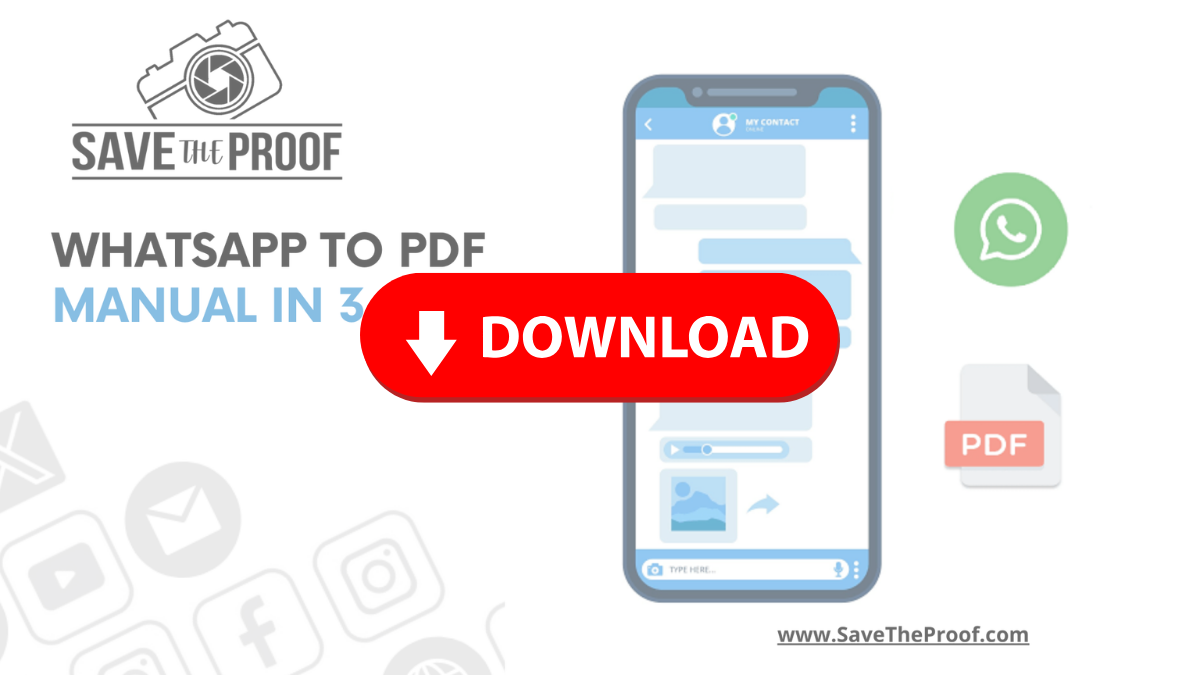
If you want to start using the WhatsApp to PDF tool without delay, we have prepared a manual and a video tutorial that will guide you through each step of the process.
In this manual, you will find detailed instructions to export chats and generate a PDF correctly in just 3 steps:
And if you prefer to see it in action, this video tutorial will show you the process in a visual and practical way:
The system is very simple and in just 3 steps: IMPORT-SELECT-EXPORT, you get the WhatsApp chat in PDF.
If you want to start using the WhatsApp to PDF tool without delay, we have prepared a manual and a video tutorial that will guide you through each step of the process.
In this manual, you will find detailed instructions to export chats and generate a PDF correctly in just 3 steps:
And if you prefer to see it in action, this video tutorial will show you the process in a visual and practical way:
Tips for Better Use of the Tool and Limitations
To ensure the conversation is exported correctly, keep these recommendations in mind:
💡For messages sent or received with a video, image, or any other multimedia file to be printed in the PDF, you must first view or download them in WhatsApp before importing them into the WhatsApp in SaveTheProof.
💡PDF export is limited to 1,000 messages per document. If you need more, you can split the chat into shorter periods and generate multiple PDFs.
When printing chats to PDF with our tool, you may encounter some limitations:
🚫 Comments in images are not printed.
❗ Thumbnails of links sent are not shown in the PDF.
🚫 Calls appear as “null” without further details.
❗ Reactions (emojis) to messages are not included.
🚫 Video notes: thumbnail not displaying.
Depending on the version of WhatsApp, there may be other limitations.
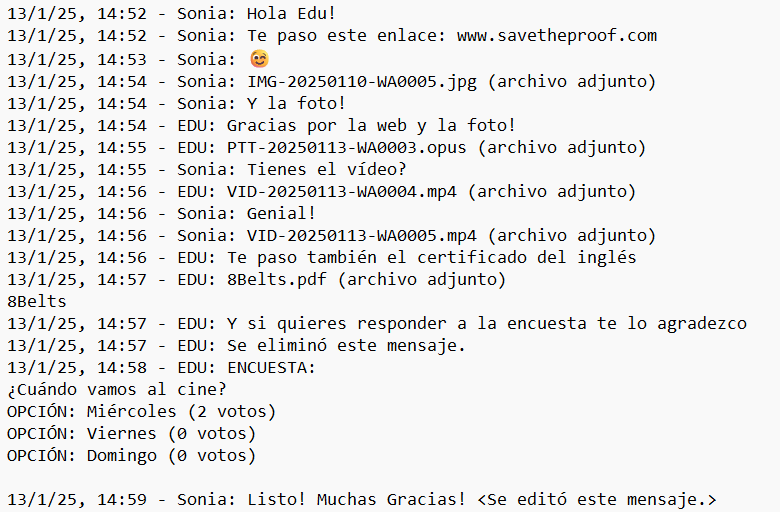
Next, we show you an example of a WhatsApp chat that includes text messages, emojis, links, photos, audios, videos, GIFs, attached documents, deleted messages, polls, and edited messages.
The first image is the chat exported in .txt format, just as it is obtained directly from WhatsApp, and in the second, you will see the same chat converted to PDF with SaveTheProof. What do you think of the difference?
WhatsApp chat exported directly in .txt format:
WhatsApp chat converted to PDF with SaveTheProof:
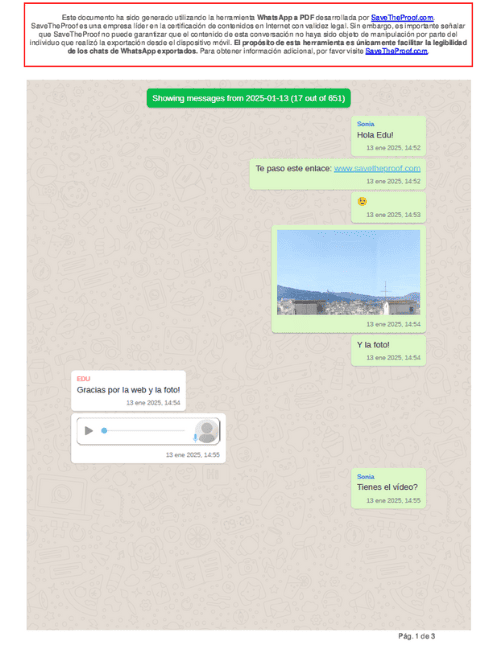
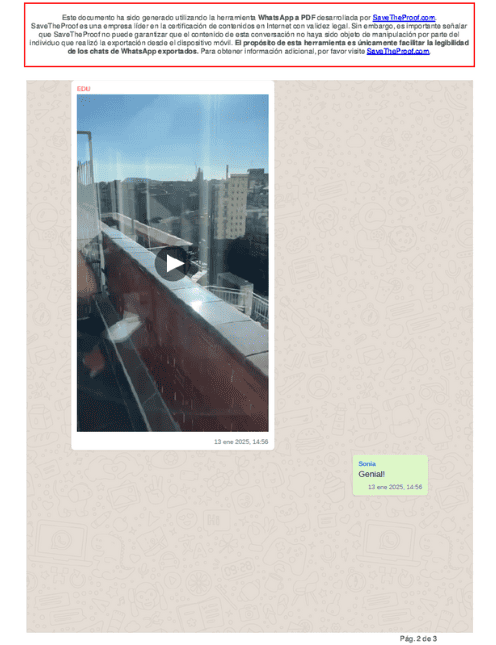
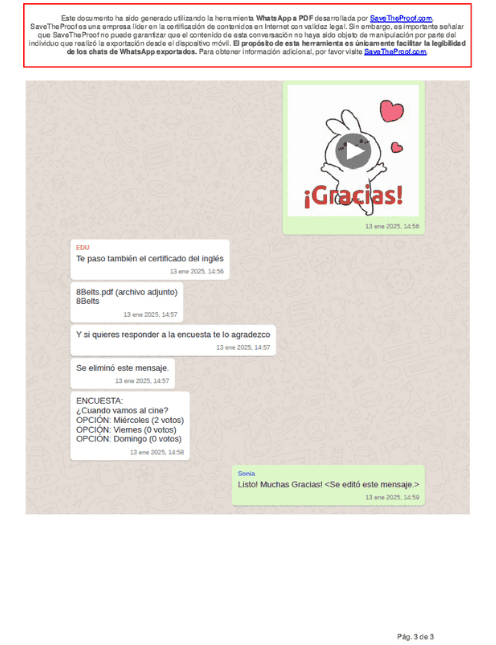
SaveTheProof generates the PDF of the WhatsApp chat, but does not certify the PDF. In the following section, we provide more details.
Does SaveTheProof certify the legal validity of WhatsApp chats?
SaveTheProof cannot certify the authenticity of WhatsApp chats because WhatsApp uses end-to-end encryption, which prevents any external verification of the content.
Additionally, chats are stored on local devices (WhatsApp chats are stored on mobile phones and not on external servers accessible by third parties), meaning that there is no guarantee that the messages have not been tampered with before exporting them.
For legal validation, the intervention of a digital forensics expert is required, as they have the forensic tools and can certify the authenticity of the messages.
You can find more information about WhatsApp certification in this other blog post from SaveTheProof: https://www.savetheproof.com/por-que-los-testigos-online-no-podemos-certificar-whatsapp/ .
Convert your WhatsApp chats into professional documents in just a few minutes!
With SaveTheProof, turning your WhatsApp conversations into PDF files is a quick and easy process that saves you time and hassle.
Whether you need to print a chat for a legal procedure, keep a professional record, or simply better organize your important messages, this tool provides a practical solution.
Forget about messy screenshots or unformatted .txt files, and try SaveTheProof to manage your conversations more professionally.
Discover how easy it is to convert your chats to PDF with SaveTheProof and give your conversations the presentation they deserve.
Ready to try it?
Just log in or create an account, and start transforming WhatsApp chats into PDFs!
For any inquiries, feel free to contact us via email at [email protected] or use the Chat available on our website.
Best regards!